If you already use ElevenLabs, this is the fast lane. Ai SFX/Voice Generator is a native macOS app that puts sound effects, AI voices, and dialogue cleanup one click away — no browser, no tab-switching. Generate, then drag the WAV straight into Premiere, Resolve, Pro Tools, or your DAW.
For people who already generate with ElevenLabs
Premiere, DaVinci Resolve, Avid, Final Cut — grab SFX and voices and drop them on the timeline without leaving your cut.
Any DAW — Pro Tools, Logic, Reaper. Design effects and clean up dialogue in the flow of your session.
Spin up placeholder or final sound effects and character dialogue on demand, right from your desktop.
SFX, voices, and clean dialogue — no browser tabs, no separate subscriptions to juggle.
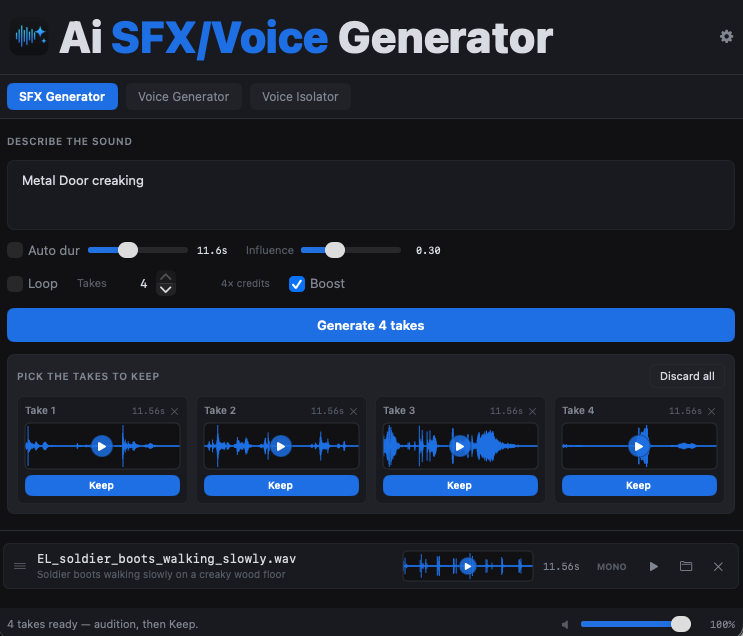
Describe any sound effect and generate broadcast-ready WAVs in seconds.
Turn text, mic input, or a file into expressive AI speech with emotional control.
Drop in noisy dialogue and pull out clean voice — background gone.
The real app — three workspaces in one native window.
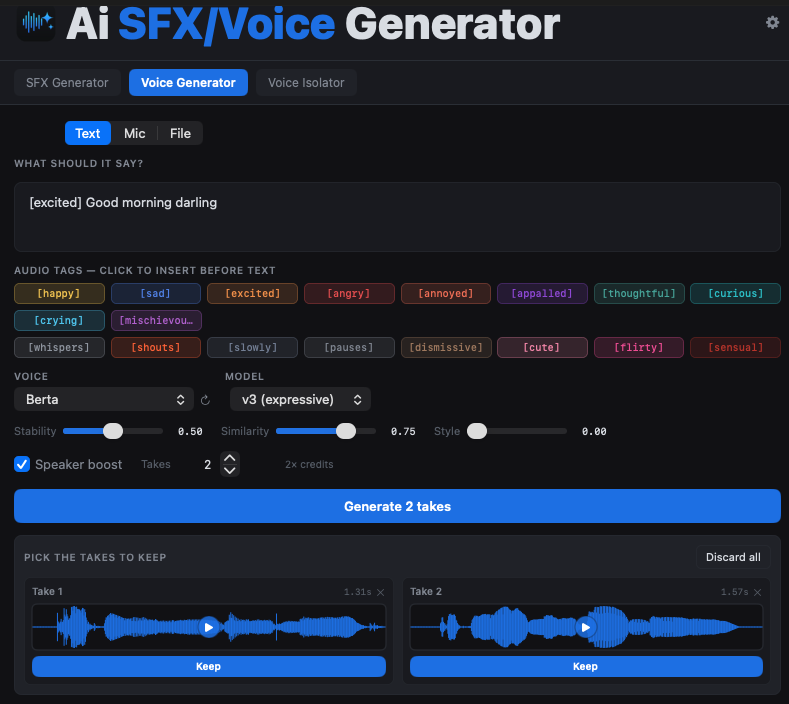
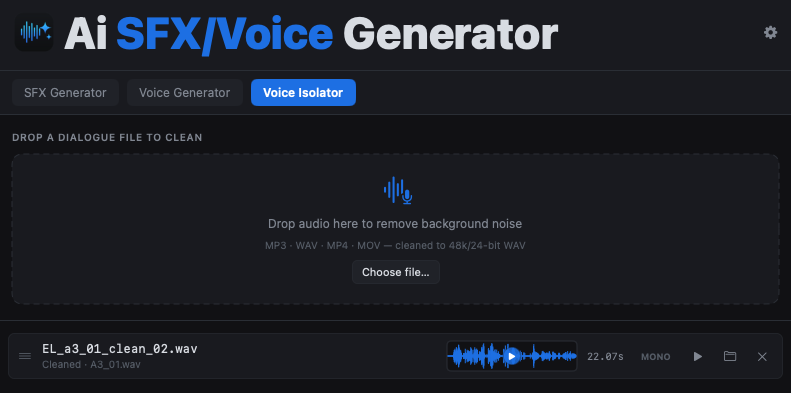
A real Mac app — universal binary for Intel and Apple Silicon. No lag, no browser tab.
Every result is a clean WAV you can drag straight into Logic, Pro Tools, Premiere, or Final Cut.
Generate several variations at once, audition them inline, and keep the ones that hit.
Signed and notarized, so it installs cleanly with no security warnings.
Outputs save locally as standard WAV files — yours to use however you like.
The same models behind ElevenLabs, in a desktop workflow built for creators.
Paste your ElevenLabs API key once in settings to connect the app.
SFX, Voice, or Isolator — switch between them with a click.
Type a prompt, record, or drop in a file, then hit Generate.
Drop the finished WAV straight into your DAW or video editor.
Ai SFX/Voice Generator runs on the ElevenLabs engine, so it needs an active ElevenLabs account and API key. You buy the app once and use your own ElevenLabs plan for generation — your key stays on your Mac. New to ElevenLabs? Create a free account →
A one-time step. Your key is stored locally on your Mac and never leaves your machine.
Go to elevenlabs.io and sign in (or create a free account). API access is included on the free tier to try it; commercial use needs a paid plan.
Open your profile menu → API Keys → Create API Key. Give it a name like “Ai SFX Generator.”
Set the key's per-product access so the app can reach every tool:
Copy the key (ElevenLabs shows it once) and paste it into Ai SFX/Voice Generator's settings. That's it — you're ready to generate.
A one-time purchase for the app — generation usage runs on your own ElevenLabs plan.
Three AI audio tools, native on your Mac. Buy once, own it — and start generating today.
It's a native macOS app with three tools: an SFX Generator for sound effects, a Voice Generator for expressive AI speech, and a Voice Isolator that cleans up noisy dialogue. It runs on the ElevenLabs engine in a fast desktop workflow.
Yes. The app uses ElevenLabs for generation, so you'll need an active ElevenLabs account and API key. You paste your key into the app once, and generation usage runs on your own ElevenLabs plan. Your key stays on your Mac. Create an ElevenLabs account →
You pay one time for the app itself. Anything you generate consumes credits on your own ElevenLabs plan (which has its own free and paid tiers). The app is the desktop interface; ElevenLabs is the engine.
It runs on macOS 12 (Monterey) or later. It's a universal app that runs natively on both Intel and Apple Silicon Macs, and it's notarized by Apple so it installs without security warnings.
Standard WAV files you can drag straight into any DAW or editor. The Voice Isolator outputs cleaned dialogue at 48kHz / 24-bit.
Yes — generated audio is yours to use, including commercially, under the terms of your ElevenLabs plan (most paid plans grant a commercial license; the free tier is for non-commercial use with attribution). Always check your current ElevenLabs plan for the exact rights. ElevenLabs terms →
 Ai SFX/Voice Generator